Download the 991es App
Play Anywhere in Bangladesh
The 991es app puts cricket betting, live casino tables, and crash games right in your pocket. No App Store needed — download the APK directly, install in under two minutes, and deposit with bKash or Nagad straight from the app.
Scan with your Android camera to go straight to the download page — no typing needed.
App vs Browser: What's Different
The 991es app is built for mobile-first use. Here's how it stacks up against the browser version on key day-to-day tasks.
| Feature | 991es App | Mobile Browser |
|---|---|---|
| Push notifications for match results & promos | Yes, real-time | Not available |
| One-tap bKash / Nagad deposit | Built-in shortcut | Manual redirect |
| Live score ticker while betting | Always visible | Requires tab switch |
| Face / fingerprint login | Supported | Not supported |
| Crash & Aviator games | Full access | Full access |
| Live Casino streams | HD, optimised | HD |
| Offline bet-slip drafts | Saves locally | Clears on close |
| Data usage | ~30% lighter | Standard |
| Auto-login on return visit | Session persists | Cookie-dependent |
| Bangladesh UTC+06 live odds | Local time display | Local time display |
| Installation required | One-time APK install | Open and play |
| Works without Google Play | Direct APK | Any browser |
The app uses roughly a third less mobile data than the browser version for the same session. If you're on Grameenphone or Robi data, that adds up quickly during a T20 match. Not on Android? Log in via browser on any device — your account and balance carry over seamlessly.
How to Install the 991es APK on Android
The whole process takes under two minutes. Follow these five steps exactly — step two is the one most people miss.
-
1
Allow installation from unknown sources
Go to Settings → Apps → Special App Access → Install Unknown Apps. Find your browser (Chrome, Firefox, or your file manager) and switch it to Allow. This one-time setting lets Android accept APK files from outside the Play Store. You can turn it off again after installation if you prefer.
-
2
Download the 991es APK
Tap the yellow Download APK button at the top of this page or use the button in the download section below. Your browser will save
991es.apk(28 MB) to your Downloads folder. If your carrier's security filter blocks the download, switch to Wi-Fi or use a different browser — the file is clean and scanned. -
3
Open the APK file
Once the download finishes, tap the notification bar or open your file manager and go to Downloads. Tap 991es.apk. Android will show an install screen listing the permissions the app needs. Review them (details in the Security section below), then tap Install. The process takes 10–20 seconds.
-
4
Open the app and log in
Tap Open when Android finishes, or find the 991es icon on your home screen. Enter your registered mobile number and password. First-time users: tap Register Now inside the app to create a new account — it takes about 90 seconds and you can deposit with bKash immediately after.
-
5
Enable notifications (recommended)
After login, the app will ask for notification permission. Tap Allow to get live score alerts, withdrawal confirmations, and exclusive app-only promo codes sent directly to your lock screen. You can manage which notification types you receive inside App Settings → Notifications at any time.
iPhone / iOS Users
No APK needed on iPhone. Add 991es to your home screen in four taps for a near-app experience:
- 1Open 991es.lat in Safari (not Chrome).
- 2Tap the Share icon at the bottom of the screen.
- 3Scroll down and tap "Add to Home Screen".
- 4Confirm the name and tap Add. The site opens full-screen, without the browser bar.
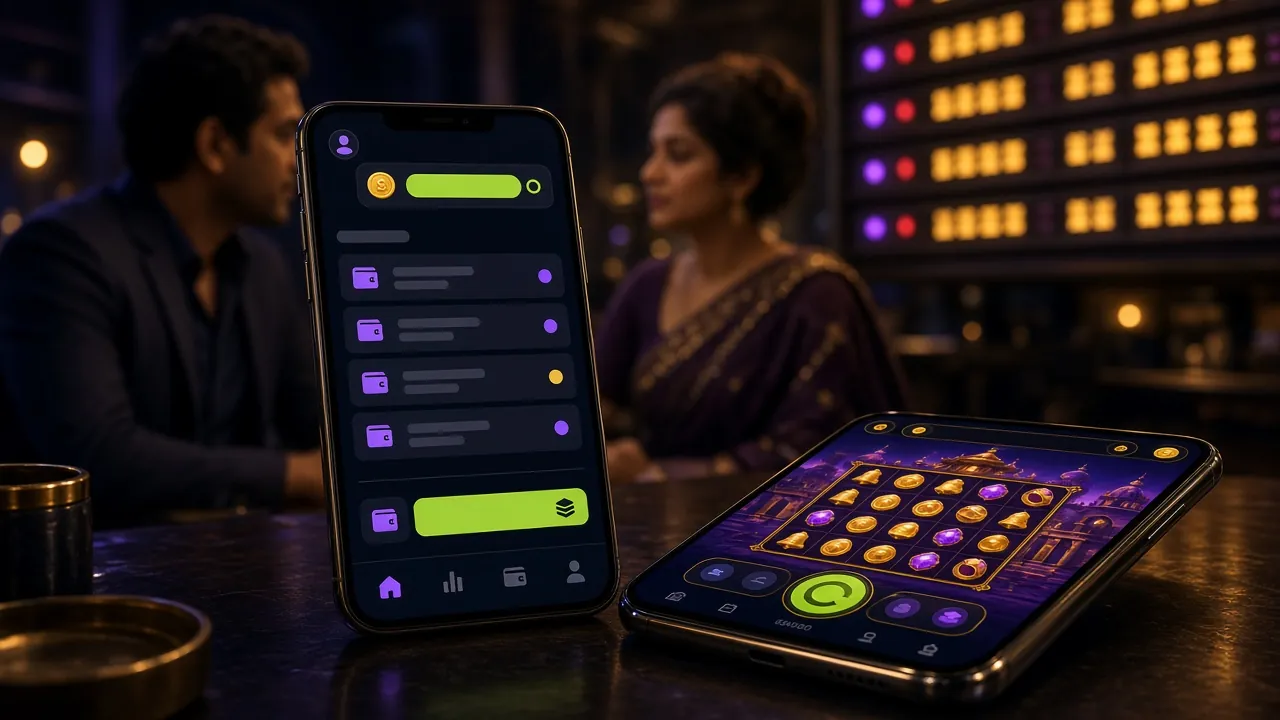
System Requirements & Version Details
Check that your phone meets the minimum spec before downloading. Most Android phones made after 2018 work fine.
Only download the APK from 991es.lat. Third-party APK mirror sites are not authorised and may distribute modified files.
What You Can Play Inside the App
Every game and market available on the website is accessible in the 991es app — with a layout tuned for one-handed play on a 6-inch screen.
Cricket & Sports Betting
Bet on Bangladesh Premier League, IPL, T20 and ODI matches with live in-play odds that update ball by ball. The app shows the live score ticker at the top of every bet-slip so you never need to switch tabs. Minimum bet ৳5 per line.
Live Casino Tables
Stream real dealers for Baccarat, Roulette, Andar Bahar, and Teen Patti — all HD, all 24/7. The app auto-selects a lower bitrate on slower connections so the stream stays smooth on 4G. See the full Live Casino guide.
Crash & Aviator Games
Play Aviator, Crash, and other multiplier games with the same RNG as the desktop version. The app renders the growing curve without stutter — important when you're deciding exactly when to cash out. Auto-cashout settings carry over from your web profile.
Slots from Top Providers
Access all slots from PG Soft, Red Tiger, Habanero, KA Gaming and more — over 4,800 games total. The app home screen groups them by recently played and highest RTP so you're not scrolling through the full library every session.
bKash & Nagad Payments
Deposit with bKash, Nagad, Rocket, Upay, or Bank Transfer directly in-app. Funds arrive in your gaming wallet in about 3 minutes. Withdrawals process in roughly 34 minutes to your mobile wallet. Minimum deposit ৳250, minimum withdrawal ৳700.
Bonuses & Promotions
App users receive push notifications for time-limited reload bonuses and cashback offers before they're posted on the website. Your welcome bonus of up to ৳5,000 on your first deposit is claimable through the app immediately after registration.


Safety, Permissions & Data
The 991es app requests only what it needs to function. Here's what each permission does and why it's there.
SSL Encryption on All Traffic
Every connection between the app and our servers uses 256-bit TLS encryption — the same standard your bank uses. Your login credentials, payment details, and bet history are never transmitted in plain text. You can verify the certificate inside the app under Settings → Security Info.
Network Access (Required)
The app needs internet to load odds, stream live tables, and process payments — this is unavoidable for an online gaming platform. It does not access your SMS, contacts, or call log. If Android shows "Phone" permission, it is only reading the device model for compatibility checks, not your SIM or call data.
Notifications (Optional)
Push notifications are opt-in. If you tap "Deny" during setup, the app works fully — you just won't receive match alerts or promo codes on your lock screen. You can enable or disable individual notification categories at any time in Android Settings → Apps → 991es → Notifications.
Biometric Login (Optional)
If your phone has a fingerprint sensor or face unlock, the 991es app can use it for login. Your biometric data never leaves your phone — the app asks Android's secure enclave to verify the match and only receives a yes/no response. Enable it under App Settings → Security → Biometric Login after your first password login.
Always download the APK from 991es.lat only. Third-party mirror sites are not vetted by us. If Android's Play Protect flags the file, that is a standard warning for any APK outside the Play Store — not evidence of a problem. Tap Install Anyway to proceed.
Common Installation Problems & Fixes
Most install failures come down to one of five issues. Find your error message in the table and follow the fix.
| Error / Symptom | Likely Cause | What to Do |
|---|---|---|
| "Install blocked" message appears | Unknown sources permission not enabled for the browser or file manager you used to open the APK. | Go to Settings → Apps → Special App Access → Install Unknown Apps. Enable permission for the specific app you used to download (Chrome, Files, etc.), then tap the APK again. This is the most common issue. |
| Download stops at 60–80% | Unstable mobile data connection, or ISP-level filtering blocking the APK file type. | Switch to Wi-Fi and retry. If Wi-Fi is unavailable, open the page in a different browser (try Firefox or Samsung Internet instead of Chrome). Carrier filtering affects the HTTP connection — a different browser often bypasses it. |
| "App not installed" after tapping Install | An older version of the 991es app is already installed with a conflicting signature, or the APK file is incomplete. | Uninstall any existing 991es app first (long-press the icon → Uninstall), then re-download the fresh APK from this page and install again. Do not rename the APK file — Android uses the filename as part of verification. |
| App opens but shows blank white screen | Android WebView is outdated. The app UI renders inside WebView — an old version causes a blank render. | Open the Play Store, search "Android System WebView", and tap Update. Restart your phone and open the 991es app again. This fix applies to Android 6–8 devices in particular. If you cannot update WebView, use the mobile browser version of the site. |
| Login works but bKash deposit fails | bKash app is not installed or is an outdated version. The 991es app opens bKash directly for the payment handoff. | Install or update the bKash app from the Play Store, then retry the deposit inside 991es. Alternatively, use Nagad or Rocket as your payment method — both work through the same in-app flow. If the problem continues, contact 24/7 Live Chat from inside the app. |
Still stuck? The 991es 24/7 Live Chat support team can walk you through installation in real time. Tap the chat icon in the bottom-right corner of the app or website.
Frequently Asked Questions
Quick answers on the 991es app — installation, safety, updates, and account access.
1 Is the 991es APK safe to install on my phone?
Yes. The 991es APK is the same codebase as the mobile website, packaged as a native app. It is scanned before every release. The only warning you will see is Android's standard "unknown sources" notice — this appears for every APK that doesn't come from the Play Store, regardless of whether it is safe. Download only from 991es.lat (this page) to ensure you have the authentic file. Do not install APKs from Telegram groups or third-party download sites.
2 Why isn't the 991es app on Google Play or the App Store?
Google Play and Apple's App Store restrict online betting and casino apps in most countries, including Bangladesh. This is a platform policy issue, not a legal one specific to 991es. Direct APK distribution is the standard method for licensed betting platforms operating in this region. Many major international betting brands distribute their Android apps exactly the same way. The APK you download here comes directly from our servers and is updated with every new release.
3 How do I update the app when a new version is released?
The 991es app does not update automatically because it isn't on a managed store. When a new version is out, you'll receive a push notification (if enabled) and a banner inside the app itself. Tap the notification or the in-app banner to come back to this page, download the new APK, and install it over the existing version. You do not need to uninstall first — your account, balance, and settings remain intact. Version 2.6.13 is the current release as of November 2026.
4 Can I use the same 991es account on the app and the website at the same time?
Your account balance and bet history sync in real time across the app and the browser version — they share the same back-end. You can be logged in on both simultaneously without any issue. If you place a bet in the browser, it appears in your app bet history within seconds. The only restriction: you cannot have two active live-casino streams running at the same time on the same account, as the streaming server allows one session per user.
5 What is the minimum Android version required?
The 991es app requires Android 6.0 (Marshmallow) or higher. Most phones sold in Bangladesh since 2017 run Android 8 or above. If your phone is on Android 5 or lower, the APK will not install — use the mobile website instead, which works on Android 5 browsers. To check your Android version, go to Settings → About Phone → Android Version. If you see 6.0 or above, you're good to go.
6 Do I need to create a new account for the app, or use my existing one?
No new account needed. If you already have a 991es account, just enter your registered mobile number and password when you open the app — your full balance, transaction history, bonus wallet, and VIP tier all carry over instantly. If you're new to 991es, tap Register Now inside the app or visit 991es Register on the website. Registration takes about 90 seconds and requires only your mobile number and a password.
7 I forgot my password — how do I log in through the app?
On the 991es app login screen, tap Forgot Password? under the password field. Enter your registered mobile number and you'll receive an OTP via SMS within 60 seconds. Enter the OTP, set a new password, and you're back in. If you no longer have access to your registered number, contact 24/7 Live Chat support — they can verify your identity using your KYC documents (National ID or Passport) and reset your credentials manually. See also the 991es Login guide for step-by-step help.
Next Steps After Installing
Got the app installed? Here's what most players do next.
Create Your Account
New to 991es? Registration takes 90 seconds inside the app. You'll need a valid mobile number — no documents required at sign-up.
Register NowLog In to Your Account
Already registered? Use your mobile number and password to log in. Enable fingerprint login for faster access on future visits.
Log InBrowse the Casino
Explore slots, live tables, and fishing games. The 991es Casino section has 4,800 games from PG Soft, Red Tiger, Playtech and more.
View Casino